Changing Payment Methods
You can view and manage Pay Methods at anytime via the “Payment Methods” page accessible from the Billing and Account sub-menus within your Client Area.
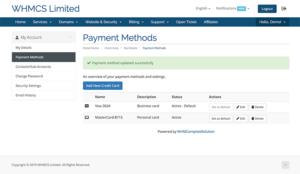
You can view all of your saved Pay Methods, edit (update descriptions and expiry date), delete (if enabled) and change the default Pay Method used for automated recurring payment attempts.
For assistance or to update your payment methods over the phone, submit a support ticket and request a call back from one of our staff.